Your organization's data catalog, as a static site.
Fork DataHerb Explorer, point one YAML file at your git repositories and S3 buckets, and publish a searchable catalog with in-browser SQL and live job status. No server, no database.
uv run dataherb catalog build
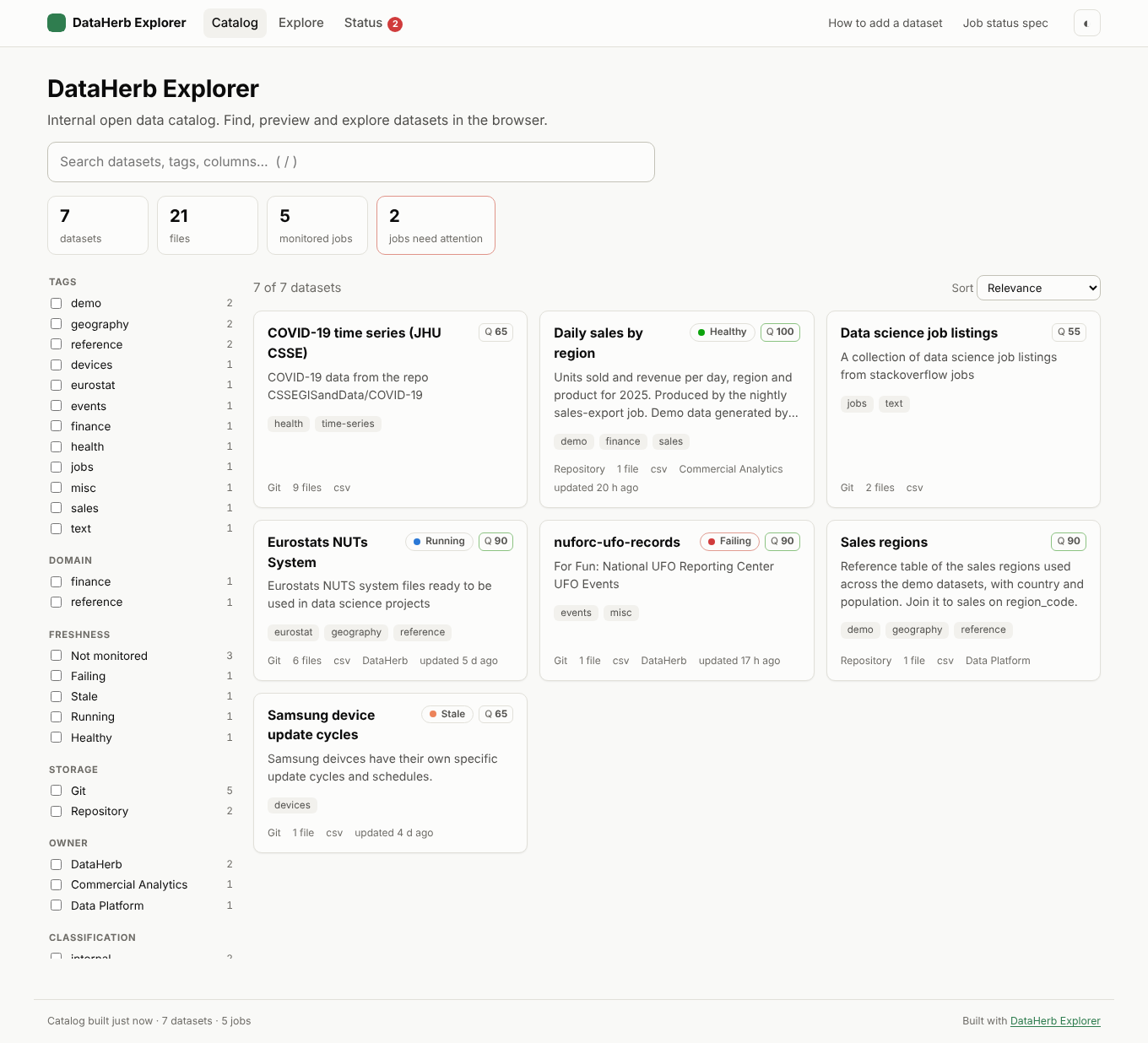
What you get
Everything a data catalog needs, nothing to run
A scheduled CI job rebuilds the site. Data is read straight from where it already lives.
Searchable catalog
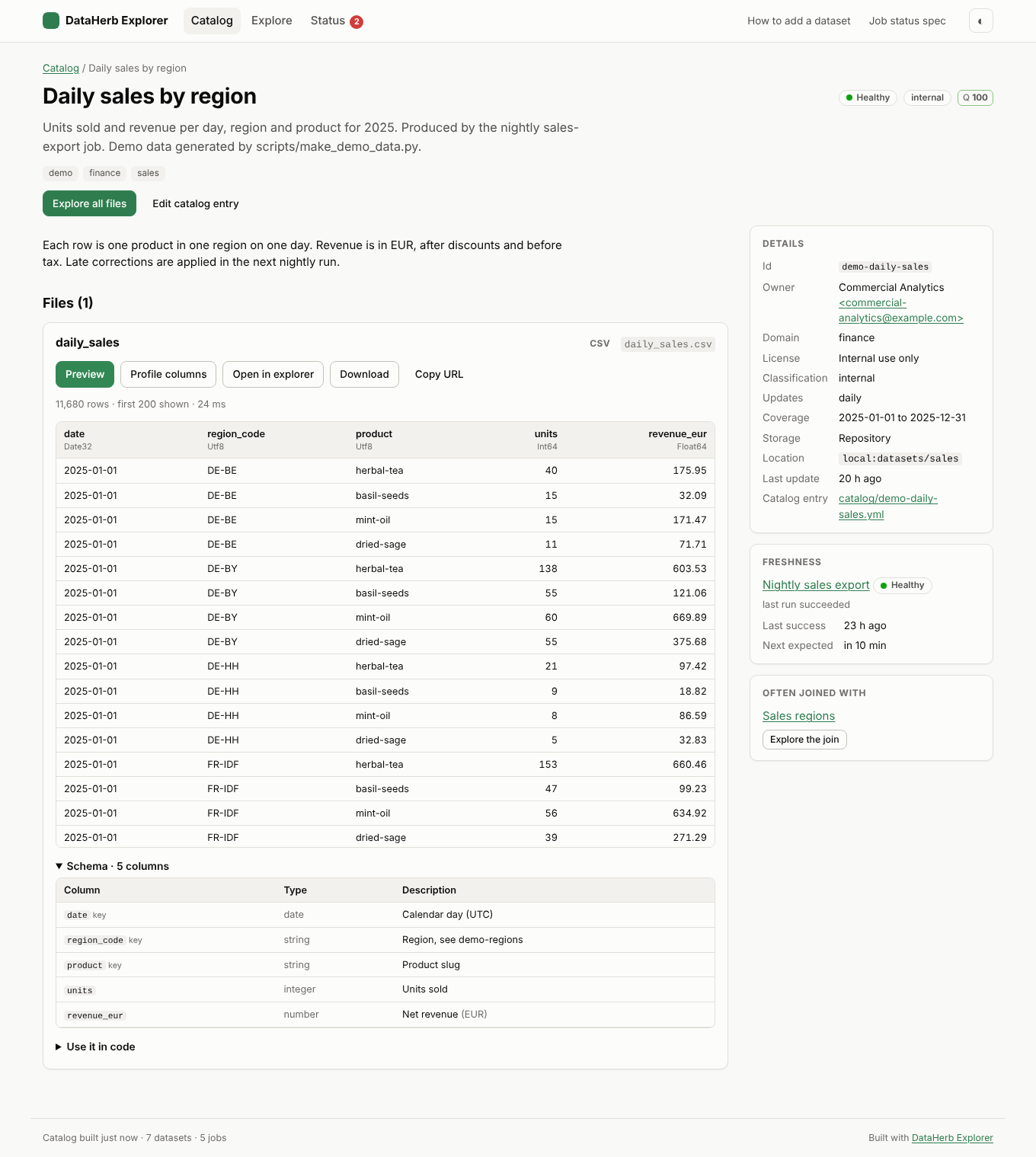
Facets for tags, domain, owner, freshness, storage and format. Schemas, docs, snippets and a metadata quality score per dataset.
Explore in the browser
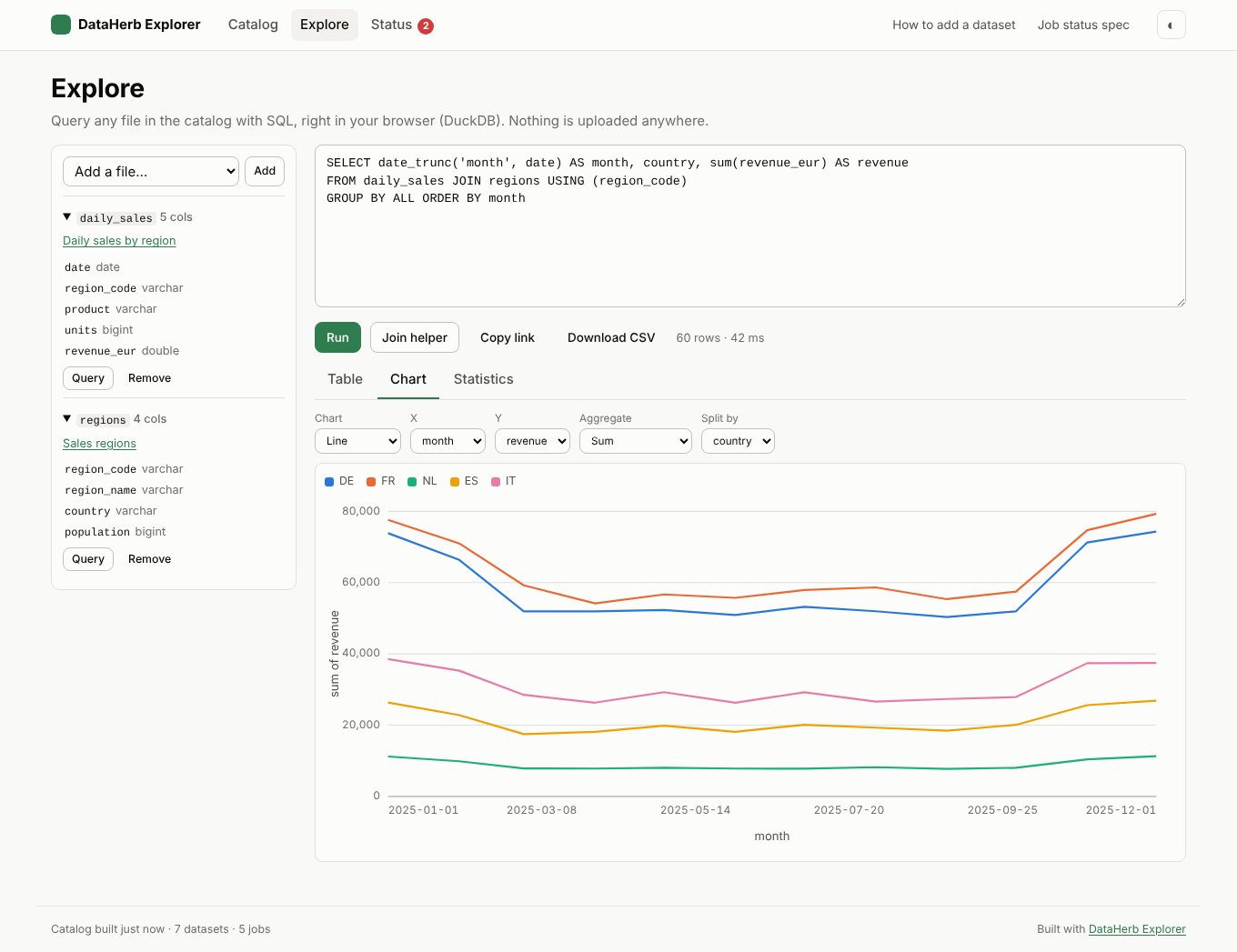
DuckDB-WASM previews, profiles and queries files with SQL. Joins, charts, statistics and shareable links.
Live job status
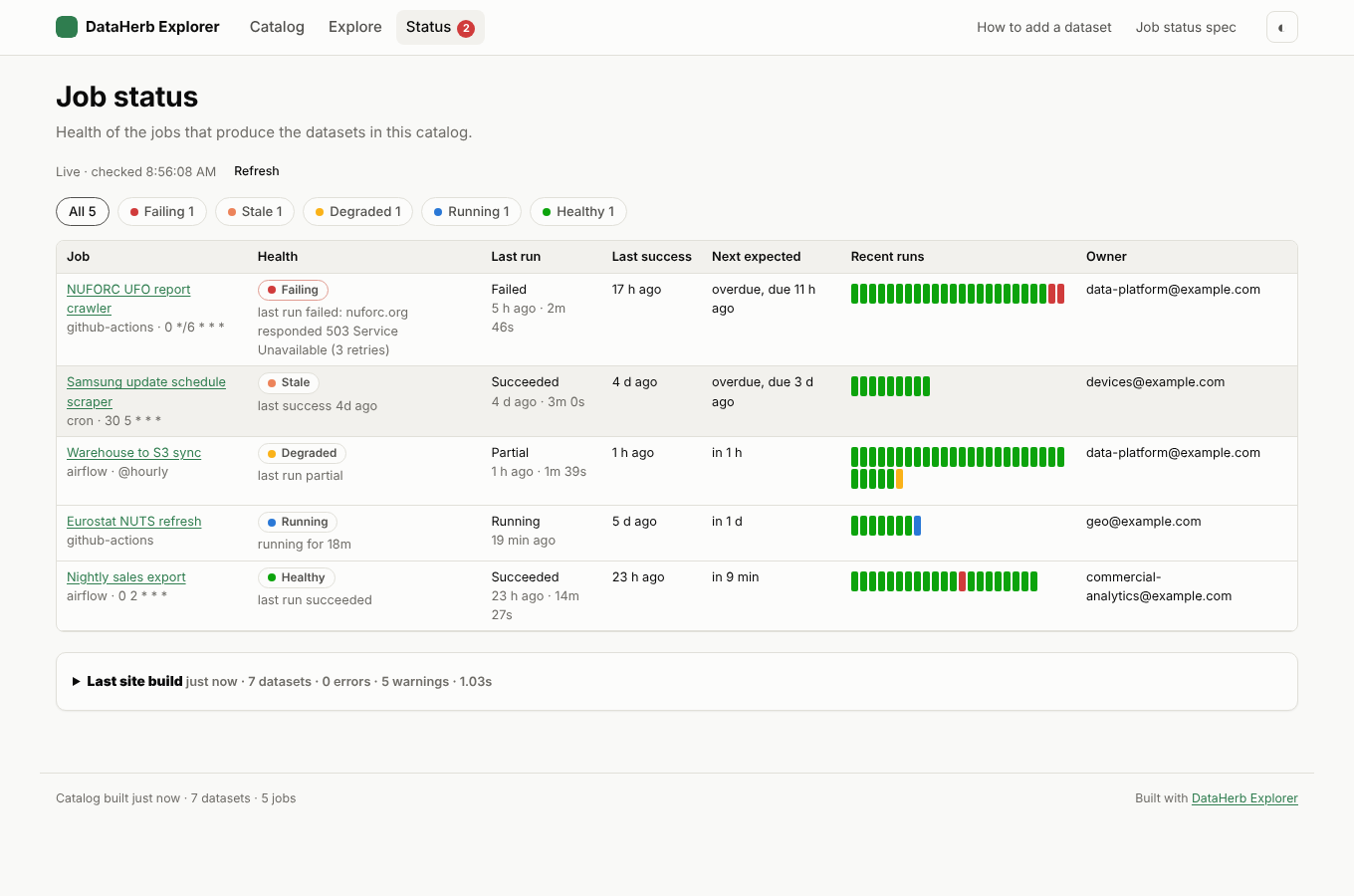
Pipelines write a small JSON file per run. The site shows what is failing, stuck or stale, without a backend.
Forkable by design
One config file and a folder of Markdown entries, reviewed through pull requests and validated in CI.
The DataHerb way
Herbs, leaves and a flora
DataHerb started as a "Homebrew for small data". The vocabulary and the principles are the same in v2, now for your whole organization.
A dataset
Data files plus a dataherb.yml that describes them: owner, schema, license, freshness.
A data file
A CSV, Parquet or JSON file inside a herb, previewed and queried right in the browser.
The catalog
All herbs together, searchable and browsable. In v2 it is the explorer you deploy.
Metadata-driven
Every dataset is described by its metadata companion, and the listing itself is just metadata in a folder.
Community-driven
Datasets are added, revised and removed through pull requests, validated and linted in CI.
Never takes your data
Data stays where its owners keep it. DataHerb only points at it and reads it in the browser.
Take the tour
See it before you fork it
These are screens from the public demo, which lists the DataHerb datasets.
How it works
From data files to a catalog in three steps
Datasets stay where their owners keep them. The catalog only points at them.
Describe the data
dataherb create drafts a dataherb.yml next to your files, with columns and types inferred.
# in the dataset folder
dataherb create . --format yaml
List it in the catalog
Add one Markdown file per dataset. Front matter points at the data; the body is shown on its page.
# catalog/orders-daily.md
---
id: orders-daily
repo: my-org/orders-daily
---
Build and publish
GitHub Actions runs the build on every push and every hour, then deploys to Pages or S3.
dataherb catalog validate
dataherb catalog build  # writes dist/
Job status
Know which pipelines you can trust
Airflow DAGs, GitHub Actions and cron jobs write a latest.json per job following the open dataherb.status/v1 spec. The browser reads those files directly, so health is live between builds.
# at the end of any job
dataherb status emit \
  --target s3://bucket/_dataherb/status/ \
  --job-id sales-export \
  --status success --expected-interval P1D

# in CI or a cron alert
dataherb status check   # exit 1 if failing, stuck or stale
Built for internal data
Private by default, cheap to host
- Serve the site behind your network, or from a bucket limited to your VPN.
- Private git repos are read at build time with a token; S3 URLs can be presigned.
- Queries run in the reader's browser. Nothing is sent to a server.
- Self-host DuckDB-WASM when browsers can't reach public CDNs.
- Plain vanilla JS with no build step, so a fork can restyle it with a text editor.
| Piece | Where it lives |
|---|---|
| Config | dataherb.config.yml |
| Catalog | catalog/<id>.md |
| Metadata | dataherb.yml next to the data |
| Data | git, S3, HTTP or the site itself |
| Job status | <prefix>/<job>/latest.json |
| Build | GitHub Actions, hourly and on change |
| Hosting | GitHub Pages or S3/CloudFront |
Run your own catalog this afternoon
Fork the explorer, edit one YAML file, enable GitHub Pages. That's the whole deployment.